This post will primarily be of interest to those with previous experience (and opinions) about Linux operating systems, though because I am a teacher and due to the way I like to teach I generally try to define terms and help at least give some basic info for those interested but without much previous experience have a map of the territory.
I originally tried out Linux almost two decades ago on the OLPC (One Laptop Per Child) XO-1. It came with the Sugar operating system, aimed at children, and I appreciated its goals but I tried out wiping the machine and installing Debian, one of the major Linux distributions.
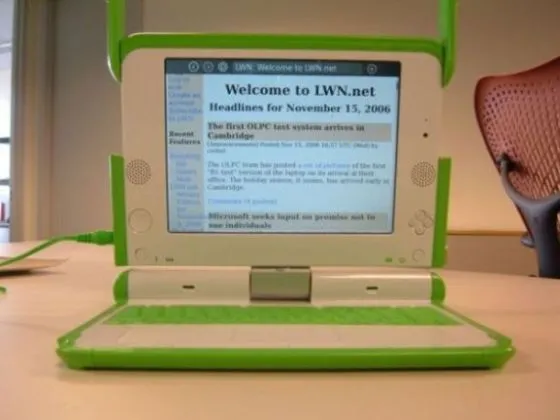
OLPC image from Aida Ivars Rodríguez cc0
I eventually passed that laptop along as it was a heavy brick and more of a curiousity for me than something that felt very usable, but I credit it for getting me into trying out and learning how to install various Linux distributions and window managers, learning about open source software, and tweaking a computer to my own needs as opposed to a company’s view of what I’d need. I also learned the pleasures and challenges of how to look up and decipher help online, and how to work with the command line.
Several years later I found a discarded PC laptop and an old iMac with a partially-broken screen in my university’s trash. I remembered back to testing out Linux, and I chose to install Arch on the PC (and to try to update OS X on the iMac). It was around this time my grad school professor tipped me off to the book In The Beginning… Was the Command Line, by Neal Stephenson. I ate it up. When I got stuck on some thing I contacted a sysadmin at my college who I recognized was using Linux, and they walked me through how to set file permissions correctly. I had one or two catastrophic updates on Arch, as it’s a rolling release distribution that sends out not fully baked software updates fairly frequently. In those few cases I basically just reinstalled the operating and replaced all my files from a backup. When Arch finally stopped updating 32bit packages in 2017, which I needed to update the old laptop, I grew disillusioned and switched back to using a Macbook Air full time.
In the following years I found myself mostly switching back and forth between the command line and the web browser on the mac, and not loving the closed Apple ecosystem of iTunes, etc. So in 2019, as Apple started to artificially stop supporting the OS on my 2014 Macbook I decided to get a new computer, and this time I chose a Dell preinstalled with Debian, which I’ve written about previously. I liked it well enough, but after a year and flaring carpal tunnel in my wrist I decided to switch to a keyboard-driven tiling window manager to try to minimize wrist movement with a mouse. I installed i3. I liked it, and the combo of using the mouse less often combined with a split keyboard helped the carpal tunnel symptoms go away.
At this point I started occasionally collecting older discarded computers and installing Linux on them. I also was using the Raspberry Pi for some projects in grad school and teaching with the Pi in courses at my university. I loved the versatility of Linux, the ethos of free and open source software. I liked finding use for old machines, and I provided free laptops to several of my students at my university by collecting old chromebooks and putting other Linux distributions on them. This became especially important at the onset of the pandemic, where I quickly acquired a few old PC laptops and Chromebooks and installed Linux to give to students that needed to work from home.
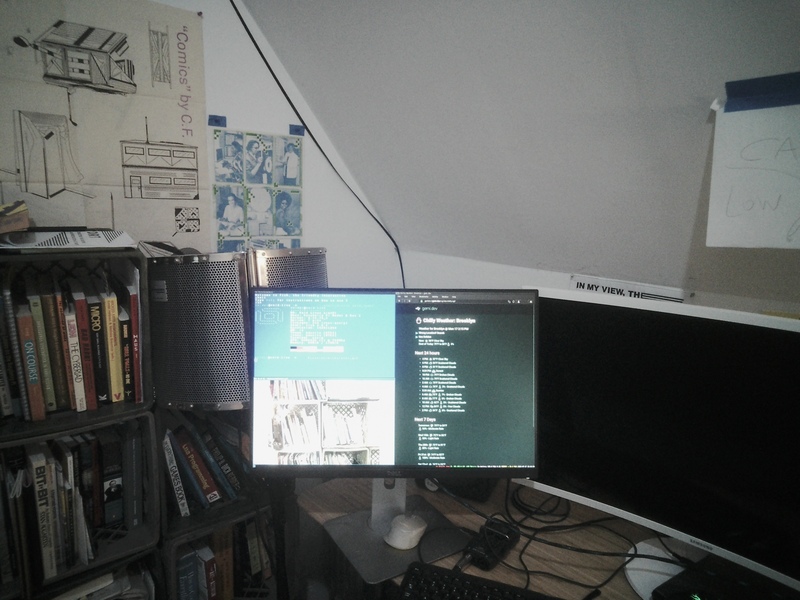
Void linux and i3 on a first generation raspberry pi
Over time I went from using a pre-themed i3 window manager and desktop environment called Regolith that is basically a version of Ubuntu Linux with i3 set up with nice themes and functionality. Although I liked it a lot I found it difficult to configure. The documentation wasn’t complete and used different methods than regular i3. So I went back to installing i3 directly myself, and learned to configure it according to its documentation. I grew more confident in my skills and decided to also try out a different Linux distribution, one that would ship packages more often than Debian, but with less of the catastrophic breaks that Arch can cause.
So this time I chose Void Linux, which is a community-based independent distribution. It has no foundation, no company behind it. Unlike Mint or Ubuntu (or Regolith), etc, it is not based on Debian or Arch or any other distribution. It provides a good amount of packages (software), and fairly minimal but complete documentation on setting up the system and updating. It basically provides a core base system and the rest is up to you. I’ve used it for 3 or 4 years. It’s particularly great that it’s fast and works on older equipment. The more I’ve become interested in reducing wasteful consumption in tech, the more I’ve grown to appreciate this. I also like that the same operating system works on recent laptops as well as really old and under powered first generation raspberry pi computers, with practically no difference in how the machine gets set up. I can use the same install to automate setup on all of my computers.
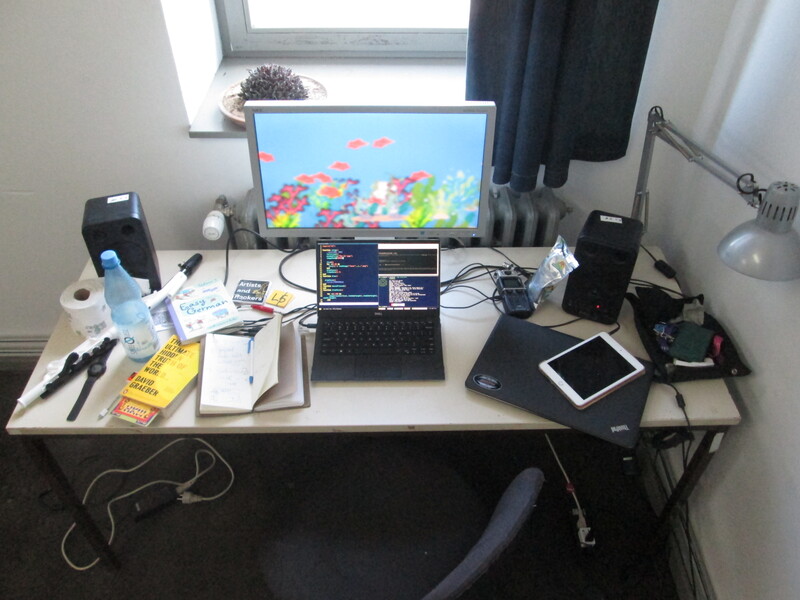
Void running on my laptop, with external monitor
Due to the amount of base technical knowledge Void demands to set it up and debug on occasion I never advocate for it as a starting option for those new to Linux. When building laptops for students with Linux I’ve tried out GalliumOS, a modified Xubuntu for Chromebooks, now discontinued, and Lubuntu, which originally prioritized being “lighter, less resource hungry and more energy-efficient” but has shifted away from this as their explicit goal. So finding a lightweight but easy-to-use no/low-configuration Linux operating system was a goal.
That brings me to antiX Linux. Like Gallium, Ubuntu, Xubuntu, Lubuntu, and other Linux distributions, it is based on Debian at its core. Unlike most others, it is well-maintained, well-documented, and pretty easy to use without configuration or having to use the command line. It also ships systems for old 32bit machines. When you start up it gives you a choice of various window managers. It also offers minimal installs that you configure yourself or a full-featured disk with lots of built-in but still lightweight software. I think it does a great job of splitting the difference particularly well for older computers. If I was going to advocate a single OS for those new to Linux with relatively recent (from the past decade or so) laptop that they want to bring new life onto, I might recommend its sister Linux distribution MX Linux, which is perhaps even more beginner-friendly but mostly the same underlying system. But for my use case of having computers ranging from 2005 to 2020 that I want to run on anything, work the same, and require zero confiuration, antiX Linux can’t be beat.
It’s worth mentioning Alpine Linux here as well. Like Void it is an independent distribution, not based on Arch or Debian. Neither Alpine, antiX or Void use the systemD init system. antiX and Void use runit by default, though antiX provides more options. Alpine uses busybox. antiX provides software packages from Debian’s repositories. Alpine uses its own repositories and apk package manager, and there’s a good bit of packages but definitely not the full motherlode. I find Alpine the least “usable” as a regular system just based on my own software needs. Like regular Debian-based systems, it is a stable system that requires full point-release updates occasionally, where you have to fully reinstall the system to be able to get more recent packages.
Out of all of these I would say I like the sheer volume of packages available by Debian-based systems but I prefer the speed and stable rolling release system of Void best, where I don’t need to do semi-annual full reinstalls and software is still updated pretty frequently and without that much risk of bugs. With Void I generally found most of the software I needed, with a few exceptions that required building from source or using the xbps-src tool, which sometimes worked great and other times could be a challenge to learn and use. There are also a few places where Void has a package that Debian doesn’t.
Occasionally I’d find a weird bug on Void, and would have to post in a forum to get help. With Debian-based distributions there are less of these though I did find a bug when I put antiX on old Macbook machines and had to fix a mis-firing trackpad. I was able to do this only with knowledge I had learned from using Void for several years.
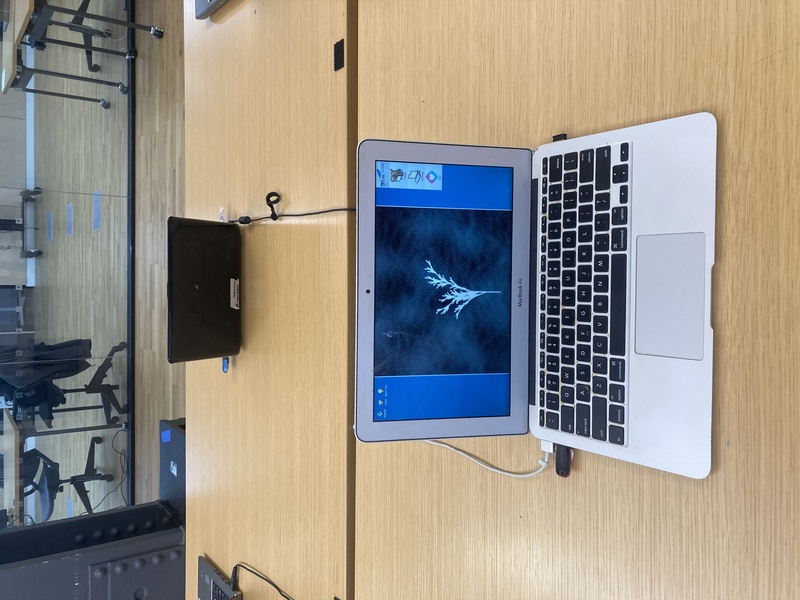
Haiku on a 2015 Macbook Air and a program in L5 by sof. The mini usb nub on the right side is a plug-in wifi card.
A last word for now on Haiku, a non-Linux operating system. Unlike Linux’s kernel-in-chief, they don’t allow kernel code, or any software, written via Large Language Models. The OS feels unique, both a bit of a throwback, having been listed as a beta operating system for 20 years, with continual drip of updates, with a clean modern aesthetic. It is fun to use, though far from comprehensive in its list of available software packages, though there is a lot. But there aren’t alternative window managers available. Although you can tweak its desktop environment a lot, I wasn’t able to turn it into a system like i3 that combines autohotkeys and fullscreening in a simple way, so this combo of lack of packages plus lack of fullscreen / keyboard-driven use means it won’t be the right fit for me now as my main operating system, but it’s nice that it’s still being developed and can be set up for others to use very simply. I have it running on a 2015 Macbook Air, though I did need to purchase a cheap plug-in USB wifi card to use the internet as there wasn’t a driver for the built-in mac one out of the box.
As of fall 2026 I use two computers primarily, a 2019 Dell XPS 13 laptop I purchased new, the one I mentioned switching from Ubuntu to Regolith to now running Void linux for the past 4 years. I also have a Dell Alienware I purchased used on ebay in 2018 that I use as my studio computer. I previously ran Void on the studio computer but I have been running antiX Linux for the past 3 months now. I think I will keep with antiX as it’s given me less hiccups and less to have to manage than on Void. Overall I’m using the same system setup mostly on both (i3 window manager, ulauncher, polybar, kitty terminal, fish shell). I’ll keep following updates to Haiku, and for the fleet of old laptops I use for the L5 Cyber cafe I’ll probably continue to use antiX for the future.