Week 2 - L5 Overview and A Random Walk
Date: 2026-08-31
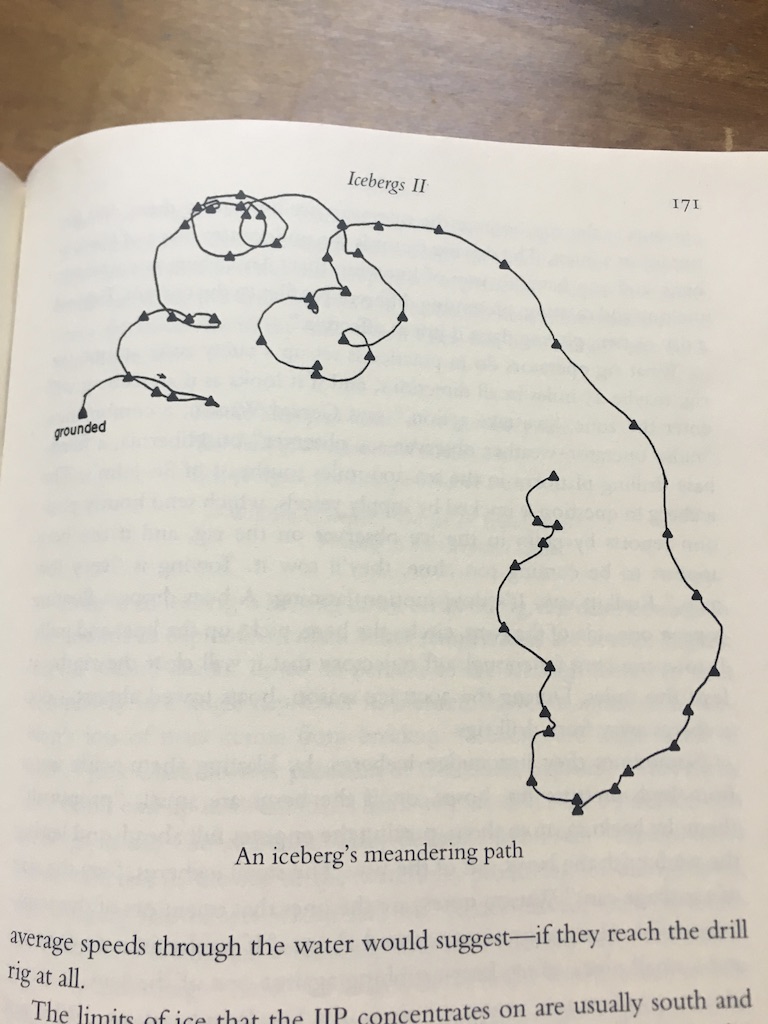 Image uploaded to
Are.na by Jon-Kyle Mohr
Image uploaded to
Are.na by Jon-Kyle Mohr
Today
- Randomness
- Getting started with L5
- Iceberg activities
- HW: Devlog 2
Lua!
- L5 is a Lua Library
- it is a reimplementation of Processing, designed to be fast, small, lightweight, cross-platform and to work across machines old and new
- In addition to the Processing drawing commands it also is a response to principles of permacomputing, including running even on older machines, using less hardware resources, and having documentation accessible for lower bandwidth and older machines
- It is very similar to Processing (Java) but there are differences because it is based on Lua - see L5 for Processing and p5.js programmers
Set up L5
- Download and Install a text editor
- Download and Install Love2d
- Download and Open L5 Starter Folder
Download and step-by-step instructions
There are full step-by-step download instructions for Mac, Win, Linux
A basic L5
sketch
--this is a comment

function setup()
  size(500,500)
end

function draw()
  --main loop
  --each run of draw is a frame
end
variables
Lua is a dynamically typed language. Variables themselves don’t have types. Instead, the values themselves do.
By default, variables are global-scoped, unless set to be
local.
require('L5')

function setup()
  x = 0
  local y = 0
end

function draw()
  print(x) -- prints 0
  print(y) -- nil
end
event functions
We covered setup and draw. There are also additional event functions:
- mouseClicked()
- mouseDragged()
- mouseMoved()
- mousePressed()
- mouseReleased
- mouseWheel()
- keyPressed()
- keyTyped()
- keyReleased()
Working with media
function setup()
  --load media here
  img = loadImage('assets/quality_meme.jpg')
end
Reference example - loading an image
Input
ellipse(mouseX,mouseY,20)Keypresses, mouse movement and clicks are examples of input and interaction
Looping
Similar to Processing/Java
for i = 1,10 do
  print(i)    -- will print 1, 2, 3...to 10 on separate lines
end
You can optionally add an increment value
for bottle = 99,1,-1 do
  print(bottle..'bottles of NA beverages on the wall..')
end
Tables
The main data structure in Lua is the table, which is used to create all other needed formats.
For example…
arrays
Arrays can be described literally. They start with 1.
The length of an array is returned through adding a
# before the array name.
array = {'first','second','last'}

print(array[1]) -- 'first'
print(#array) -- 3
Add to the end of an array
local numArray = {1, 2, 3}

table.insert(numArray, 4}
table.insert(numArray, 5}
--will result in [1, 2, 3, 4, 5]
Remove from end of array
--continuing from above
table.remove(numArray) --will remove from end
--will result [1, 2, 3, 4]
Looping through an array
Lua has the utilities pairs and
ipairs. We can optionally use
ipairs when looping through an array.
Without ipairs:
for i=1,#students do
  print(students[i])
end
With ipairs:
for student in ipairs(students) do
  print(student)
end
Debugging and the console
Accessing the Console
Error messages and print messages are printed in the command line.
They can also be presented onscreen through use of the
printToScreen() function added in your
setup.
Next steps:
- Review L5 for Processing and p5.js programmers
- Run L5 sketches locally with the L5lua VS Code / VS Codium extension
Icebergs and Random Walks
Satellite video of world’s biggest iceberg, A23a, breaking free
from NPR
from SciTechHub
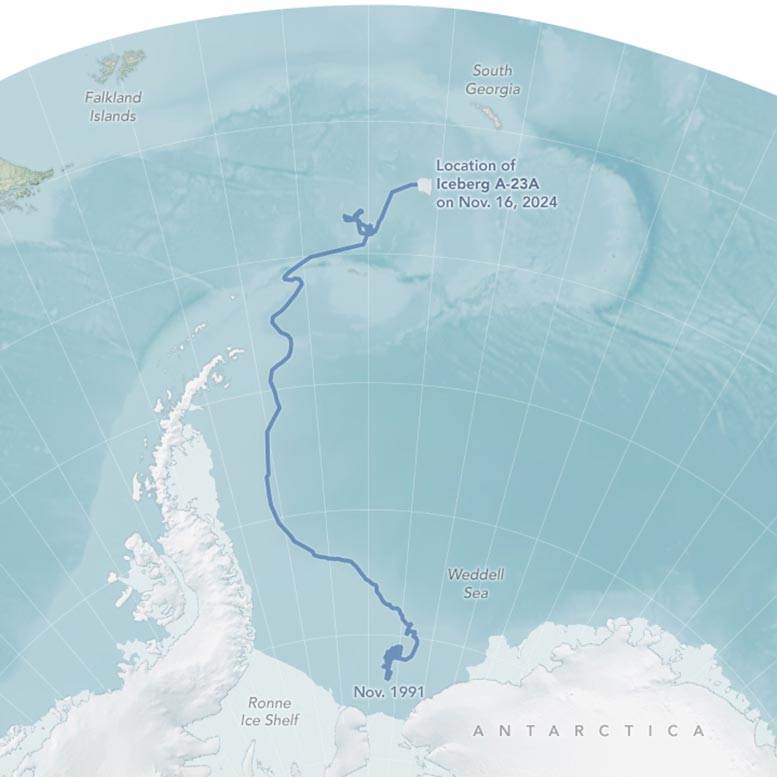
When icebergs break away from ice shelves or large glacier fronts, they become travelers in the ocean, carried by currents, spinning in eddies, shifting with the tides, and pushed along by the wind. Sometimes, these massive ice chunks get stuck — either grounded on a shallow seafloor or caught in a swirling mass of water. Iceberg A-23A experienced both. While every iceberg’s journey is unique, most follow the same general path. More than 90 percent of bergs around Antarctica enter the clockwise-flowing current of the Weddell Gyre off East Antarctica and eventually escape, shooting north along the Antarctic Peninsula and finally out across the Drake Passage into warmer South Atlantic waters—an ocean route known as “iceberg alley.” –How the World’s Largest Iceberg Escaped an Ocean Whirlpool, from SciTechDaily
Evan Roth’s Heliographs
Heliographs by Evan Roth
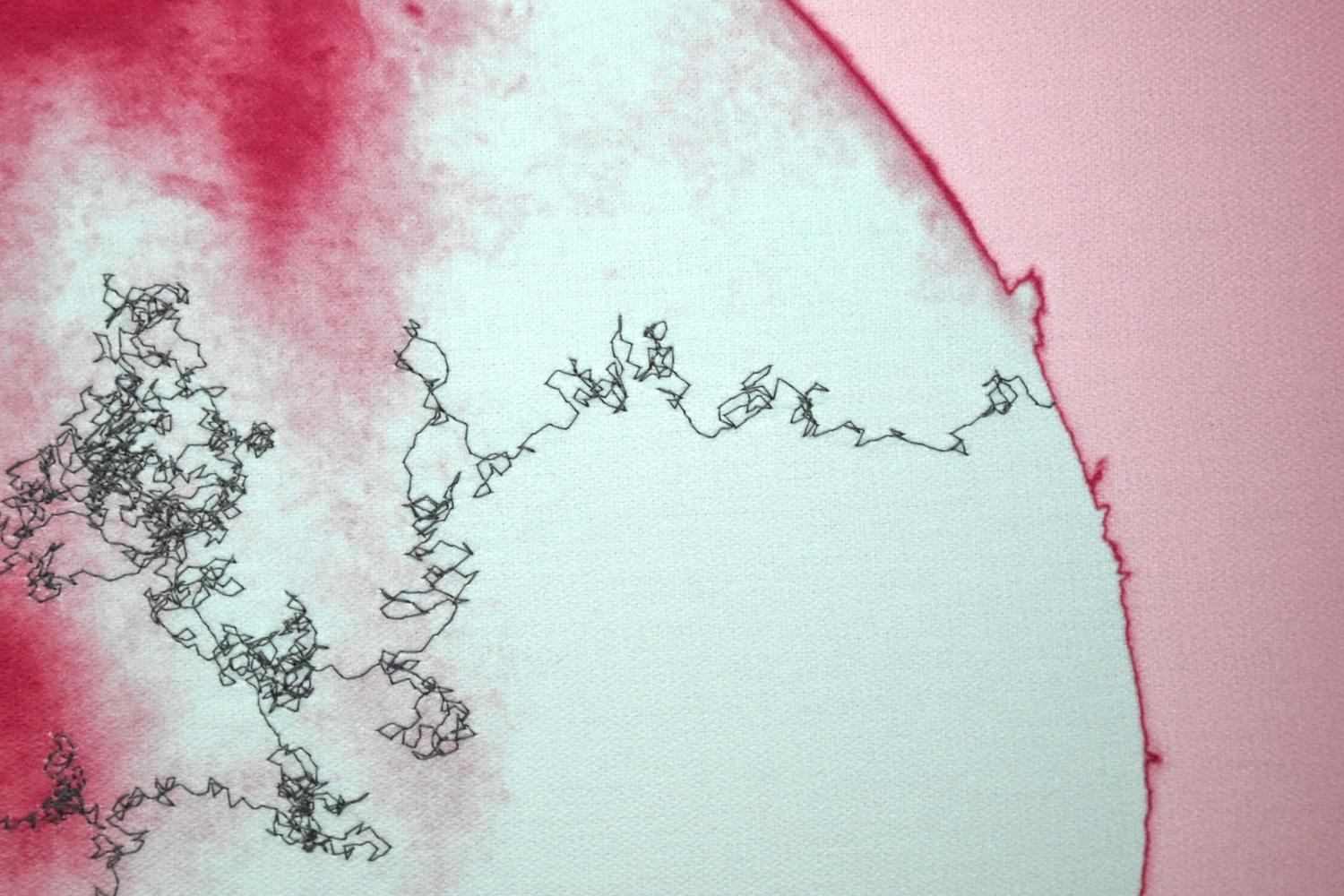 Image from Dorothée Nilsson Gallery
During a residency at the Astronomical Observatory of the University of Namur, Belgium, Roth worked with astronomers imaging the surface of the Sun through a telescope fitted with an infrared camera, a lens that registers wavelengths beyond human vision, revealing what remains otherwise invisible to the naked eye. The camera produces greyscale images, which Roth then colourises intuitively, treating colour as a painterly choice. The result is a hybrid: photograph, quilt, astronomical data, and painting at once. These solar photographs are digitally printed onto fabric and stitched with a sewing machine following a pattern known as a random walk: a phenomenon in astrophysics in which a photon born in the Sun’s core takes, on average, one hundred thousand years to reach its surface, drifting through solar plasma in a slow, unpredictable arc, before crossing the distance to Earth in 8 minutes and 20 seconds. For Roth, it is both concept and method: a way of reanimating the photon’s journey in thread, and of enacting the wandering, drifting attention that slow transformation requires. Exhibition Text: Evan Roth
Perlin Noise
Returns random numbers that can be tuned to feel organic.
Values returned by random() and randomGaussian() can change by large amounts between function calls. By contrast, values returned by noise() can be made “smooth”. Calls to noise() with similar inputs will produce similar outputs. noise() is used to create textures, motion, shapes, terrains, and so on. Ken Perlin invented noise() while animating the original Tron film in the 1980s. The version of noise in L5 varies from p5.js and Processing. It returns simplex noise for 1 and 2 input arguments. Simplex noise is an algorithm designed in 2001 by Ken Perlin to address limitations in his classic noise function, notably relating to speed, complexity and higher order dimensions. noise() always returns values between 0 and 1. It returns the same value for a given input while a sketch is running. noise() produces different results each time a sketch runs. The character of the noise can be adjusted by scaling the inputs. noise() interprets inputs as coordinates. The sequence of noise values will be smoother when the input coordinates are closer. The version of noise() with one parameter computes noise values in one dimension. This dimension can be thought of as space, as in noise(x), or time, as in noise(t). The version of noise() with two parameters computes noise values in two dimensions. These dimensions can be thought of as space, as in noise(x, y), or space and time, as in noise(x, t).
Important: The output of noise() might be constant if only using integers as arguments. Be sure to use floats to get varying return values.
from noise in the L5 reference
Noise in L5: example code

require("L5")

function setup()
  size(100, 100)

  describe('A black dot moves randomly on a gray square.')
end

function draw()
  background(200)

  -- Calculate the coordinates.
  local x = 100 * noise(0.005 * frameCount)
  local y = 100 * noise(0.005 * frameCount + 10000)

  -- Draw the point.
  strokeWeight(5)
  point(x, y)
end
require("L5")

function setup()
  size(100, 100)

  describe('A black dot moves randomly on a gray square.')
end

function draw()
  background(200)

  -- Set the noise level and scale.
  local noiseLevel = 100
  local noiseScale = 0.005

  -- Scale the input coordinate.
  local nt = noiseScale * frameCount

  -- Compute the noise values.
  local x = noiseLevel * noise(nt)
  local y = noiseLevel * noise(nt + 10000);

  -- Draw the point.
  strokeWeight(5)
  point(x, y)
end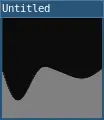
require("L5")

function setup()
  size(100, 100)

  describe('A hilly terrain drawn in gray against a black sky.')
end

function draw()
  -- Set the noise level and scale.
  local noiseLevel = 100
  local noiseScale = 0.02

  -- Scale the input coordinate.
  local x = frameCount
  local nx = noiseScale * x

  -- Compute the noise value.
  local y = noiseLevel * noise(nx)

  -- Draw the line.
  line(x, 0, x, y)
end
require("L5")

function setup()
  size(100, 100)

  describe('A calm sea drawn in gray against a black sky.')
end

function draw()
  background(200)

  -- Set the noise level and scale.
  local noiseLevel = 100;
  local noiseScale = 0.002

  -- Iterate from left to right.
  for x = 1,width do
    -- Scale the input coordinates.
    local nx = noiseScale * x
    local nt = noiseScale * frameCount

    -- Compute the noise value.
    local y = noiseLevel * noise(nx, nt)

    -- Draw the line.
    line(x, 0, x, y)
  end
end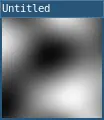
require("L5")

function setup()
  size(100, 100)

  background(200)

  -- Set the noise level and scale.
  local noiseLevel = 255
  local noiseScale = 0.01

  -- Iterate from top to bottom.
  for y=1,height do
    -- Iterate from left to right.
    for x = 0,width do
      -- Scale the input coordinates.
      local nx = noiseScale * x
      local ny = noiseScale * y

      -- Compute the noise value.
      local c = noiseLevel * noise(nx, ny)

      -- Draw the point.
      stroke(c)
      point(x, y)
    end
  end

  describe('A gray cloudy pattern.')
end
require("L5")

function setup()
  size(100, 100)

  describe('A gray cloudy pattern that changes.')
end

function draw()
  -- Set the noise level and scale.
  local noiseLevel = 255
  local noiseScale = 0.009

  -- Iterate from top to bottom.
  for y=1,height do
    -- Iterate from left to right.
    for x=1,width do
      -- Scale the input coordinates.
      local nx = noiseScale * x
      local ny = noiseScale * y
      local nt = noiseScale * frameCount

      -- Compute the noise value.
      local c = noiseLevel * noise(nx, ny, nt)

      -- Draw the point.
      stroke(c)
      point(x, y)
    end
  end
end
Perlin noise videos
How to Code Procedural Terrain with Perlin Noise (JavaScript & p5.js) with RachelfTech
Perlin Noise in p5.js with The Coding Train
Workshop
There are a few approaches. Pick one, blend a few, or invent your own:
- Landscape / terrain — noise as elevation, walkers as rivers or erosion paths
- Organism / growth — walkers as roots, mycelium, or vein systems that branch and thicken
- Typography — noise perturbing letterforms or a walker “writing” unstable text
- Portrait / figure — thousands of short noise-guided strokes building up a recognizable image (stippling/hatching approach)
- Time-based — the noise field evolves and the “artwork” is really a slow animation or loop
- Abstract field composition — no representational goal at all; the noise field’s structure is the subject
Parameters:
Uses at least one of: random walk, Perlin noise, or both together.
- Noise/randomness controls at least two distinct visual properties (not just x/y position of one thing — e.g., position and color, or angle and stroke weight).
- Includes at least one deliberate compositional constraint — a canvas edge behavior, a color palette, a stopping condition, a symmetry, something that shows you made a choice rather than let the algorithm run forever unattended.
- Runs and resolves in a reasonable time, for example
stopping with
noLoop()(if it runs forever, explain the concept). - Include a short artist statement (150–250 words,
submitted alongside the sketch) covering:
- What’s driving the generative engine, in plain language
- One decision you made that changed the character of the piece, and why
- One thing you’d try next if you had another week
Flow-field and particle-system techniques are widely documented in creative-coding tutorials; you’re welcome to learn from them, but your submitted piece should be your own composition and combination of ideas, not a recreation of a tutorial’s exact result