Week 8 - Cellular Automata and the Game of Life
Date: 2026-10-12
A-life
New media art self-consciously reworks technology into culture, and rereads technology as culture. What’s more, it does so in a concrete, applied way; it manipulates the technology itself, with a nonindustrial latitude that admits misapplication and adaptation, rewiring and hacking, pseudofunctionality and accident. p.5, Metacreation
A-life begins with a notion of life that is wholly materialistic, involving no soul, vital force, or essence. In the words of the convenor of the first artificial life workshop, Christopher Langton, ‘Living organisms are nothing more that complex biochemical machines.’ Langton contends that rather than being any special substance or force, life is ‘a property of the organization of matter.’ Further, this organization is not simply a complex structure but a dynamic structure, a system active in real time: for a-life, life is most importantly manifest in behavior. p.7, Metacreation
Tenets of this approach:
- no central organizer/intelligence
- bottom-up structure
- emergence produces lifelike systems
- as opposed to the study of AI, A-life does not focus on intelligence but on behaviors and is not top-down, procedural
Systems:
- genetic algorithms
- separate beings (genotypes) with behaviors (phenotypes)
- agent-based systems
- models individuals in an artifical world
- cellular automata
- an array of individual cells computed with a set of simple rules governing a cell’s future state, as affected by the current state of its neighbor cells
We are no longer creating a work, we are creating creation…We are able to bring forth…results…which go beyond the intentions of their originators, and this in infinite number. – Nicholas Schöffer p.16, Metacreation
Random Robot Objects
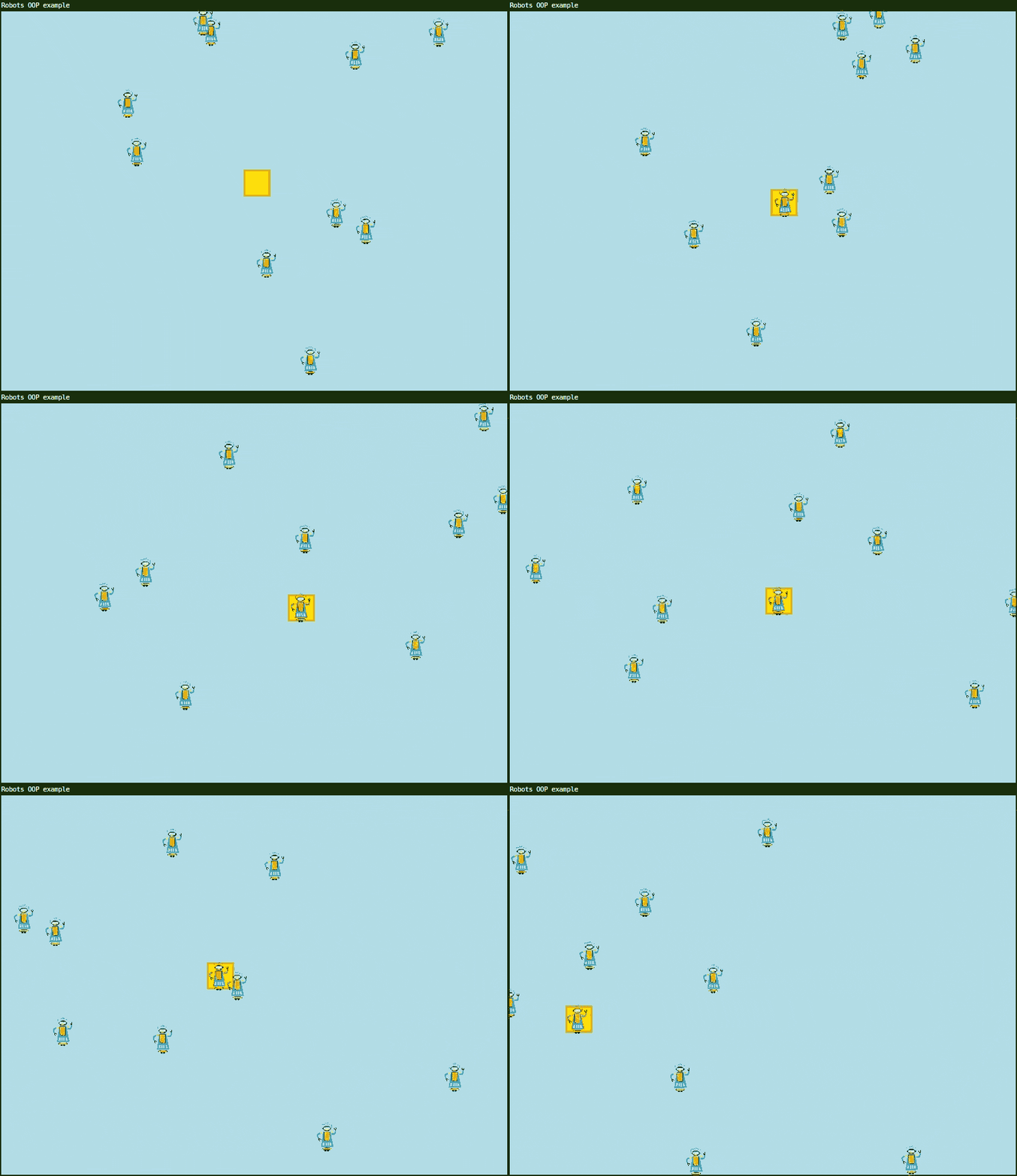
This object-oriented programming example demonstrates two different Lua patterns - classes with metatables (Robot) and simple tables with methods (box). It consists of a Robot class definition and simple box object.
The box object demonstrates a simpler object-oriented structure of a table with methods. Lua’s power of first-class functions is represented here.
A first-class function means they can be:
- Stored in tables (like in the
boxtable) - Assigned to variables (like
display = function(self) ... end) - Passed as arguments to other functions
- Returned from functions
The box object demonstrates this with
display and move functions stored
as values in the box, just like x,
y and size are numbers.
The Robot demonstrates uses of metatables.
Robot.__index = Robotsets up the metatablesetmetatable(robot, Robot)links each instance to the Robot table- This enables method
lookup - when you call
robot:move(), Lua looks in the Robot table to find themovefunction
Advanced ways to extend the program:
- add more robot behaviors - make robots change colors when they collide with each other
- score counter - count how many times the box teleports to robots
- different robot types - a FastRobot that moves twice as fast as the others
- mouse interaction - Create new robots at the mouse position when clicked
- Box trail - a line showing the box’s history
- Chase - make robots chase the box
- power-ups - add collectible items that change robot speed, size or behavior
- animated sprites - multiple images to animate movement
require("L5")

-- Note: The Robot class definition below could be moved to a separate file robot.lua
-- and then loaded with: local Robot = require("robot")

Robot = {}
Robot.__index = Robot -- Tells Lua to use Robot's metatable to find methods

-- Global vars
robots = {}  -- Table to hold all robot instances
robotImg = nil

function setup()
  size(800, 600)
  windowTitle("Robots OOP example")
  robotImg = loadImage("assets/robot.png")
  imageMode(CENTER)
  rectMode(CENTER)
  strokeWeight(3)
  fill("gold")
  stroke("goldenrod")

  -- Initialize box position
  box.x = random(width)
  box.y = random(height)

  -- Create 10 robots
  for i = 1, 10 do
    table.insert(robots, Robot:new())
  end

  describe('Random robots moving around the screen. They steal the yellow box when they overlap with it.')
end

function draw()
  background("lightblue")

  -- Update and draw box
  box:move()
  box:display()

  -- Update and draw all robots
  for i = 1, #robots do
    robots[i]:move()
    robots[i]:display()
  end
end

-- Robot class definition
function Robot:new(x, y, w, h)
  local robot = {
    x = x or random(width),
    y = y or random(height),
    w = w or 70,
    h = h or 70,
    xspeed = random(-2, 2),
    yspeed = random(-2, 2)
  }
  setmetatable(robot, Robot)  -- Links the instance to Robot class
  return robot
end

function Robot:move()
  self.x = self.x + self.xspeed
  self.y = self.y + self.yspeed

  -- Bounce off walls
  if self.y > height or self.y < 0 then
    self.yspeed = self.yspeed * -1
  end
  if self.x > width or self.x < 0 then
    self.xspeed = self.xspeed * -1
  end
end

function Robot:display()
  image(robotImg, self.x, self.y, self.w, self.h)
end

-- Box object using simple table with methods
-- Demonstrates first-class functions stored as table values
box = {
  x = nil,  -- Initialized in setup() after random() is seeded
  y = nil,
  size = 40,

  display = function(self)
    square(self.x, self.y, self.size)
  end,

  move = function(self)
    -- Teleport to nearest robot if close enough
    for i = 1, #robots do
      if dist(self.x, self.y, robots[i].x, robots[i].y) < self.size then
        self.x = robots[i].x
        self.y = robots[i].y
        break
      end
    end
  end
}
Inventing the Game of Life
Stephen Hawkings The Meaning of Life (John Conway’s Game of Life segment)
Inventing Game of Life (John Conway) - Numberphile
Cellular Automata in p5.js
from p5.js examples - Game of Life
Cellular Automata in Minecraft
Multiple Neighborhood Cellular Automata
More explorations with Multiple Neighborhoods Cellular Automata by softology
Procedural Level Design in Brogue and Beyond
Resources
- cellular automata post by Tann
- A New Kind of Science book (online) by Stephen Wolfram
- blog post about it by Softology
Inkspot
require 'L5'

local block = 10
local chance = 0.01
local dead = 'black'
local alive = 170
function setup()
  --fullscreen(2)
  gridwidth = floor(width/block)
  gridheight = floor(height/block)
  createGrid()
  textAlign(LEFT,TOP)

  --initial grid draw
  for y=1,gridheight do
    for x=1,gridwidth do
      if grid[y][x] == 1 then
        fill(alive)
      else
        fill(dead)
      end
      square(x*block-block,y*block-block,block)
    end
  end

  createNewGrid()

  --frameRate(15)

  windowTitle('Inkblot')
  describe('an inkblot algorithm, like a simpler Game of Life. Cells replicate like ever-expanding ink.')
end

function draw()
  background(dead)
  --new grid
  for y=1,gridheight do
    for x=1,gridwidth do
      if newGrid[y][x] == 1 then
        fill(0,alive+random(-10,10),0)
       -- fill(0,alive,0)

        square(x*block-block,y*block-block,block)
      else
        fill(dead)
      end
     -- square(x*block-block,y*block-block,block)
    end
  end
  grid = newGrid
  createNewGrid()
end

function createGrid()
  grid = {}
  for y=1,gridheight do
    grid[y] = {}
    for x=1,gridwidth do
      --grid[y][x] = floor(random(2))
      if random() < chance then
        grid[y][x] = 1
      else
        grid[y][x] = 0
      end
    end
  end
end

function createNewGrid()
  newGrid = {}
  for y=1,gridheight do
    newGrid[y] = {}
     for x=1,gridwidth do
       local neighbors = 0
       if checkNeighbor(y-1,x-1) then neighbors = neighbors + 1 end
       if checkNeighbor(y-1,x) then neighbors = neighbors + 1 end
       if checkNeighbor(y-1,x+1) then neighbors = neighbors + 1 end
       if checkNeighbor(y,x-1) then neighbors = neighbors + 1 end
       if checkNeighbor(y,x) then neighbors = neighbors + 1 end
       if checkNeighbor(y,x+1) then neighbors = neighbors + 1 end
       if checkNeighbor(y+1,x-1) then neighbors = neighbors + 1 end
       if checkNeighbor(y+1,x) then neighbors = neighbors + 1 end
       if checkNeighbor(y+1,x+1) then neighbors = neighbors + 1 end

       if neighbors == 3 or checkNeighbor(y,x) then
         newGrid[y][x] = 1
         --print(x..' '..y)
       end
     end
  end
end

function checkNeighbor(_y,_x)
  if grid[_y] ~= nil and grid[_y][_x] ~= nil then
    if grid[_y][_x] == 1 then
      return true
    else
      return false
    end
  else
    return false
  end
end

function mouseMoved()
  local cx = ceil(mouseX/block)
  local cy = ceil(mouseY/block)
  if cy < 1 then cy = 1 end
  newGrid[cy][cx] = 1
end

function mousePressed()
  createGrid()
  createNewGrid()
end
Conway’s Game of Life
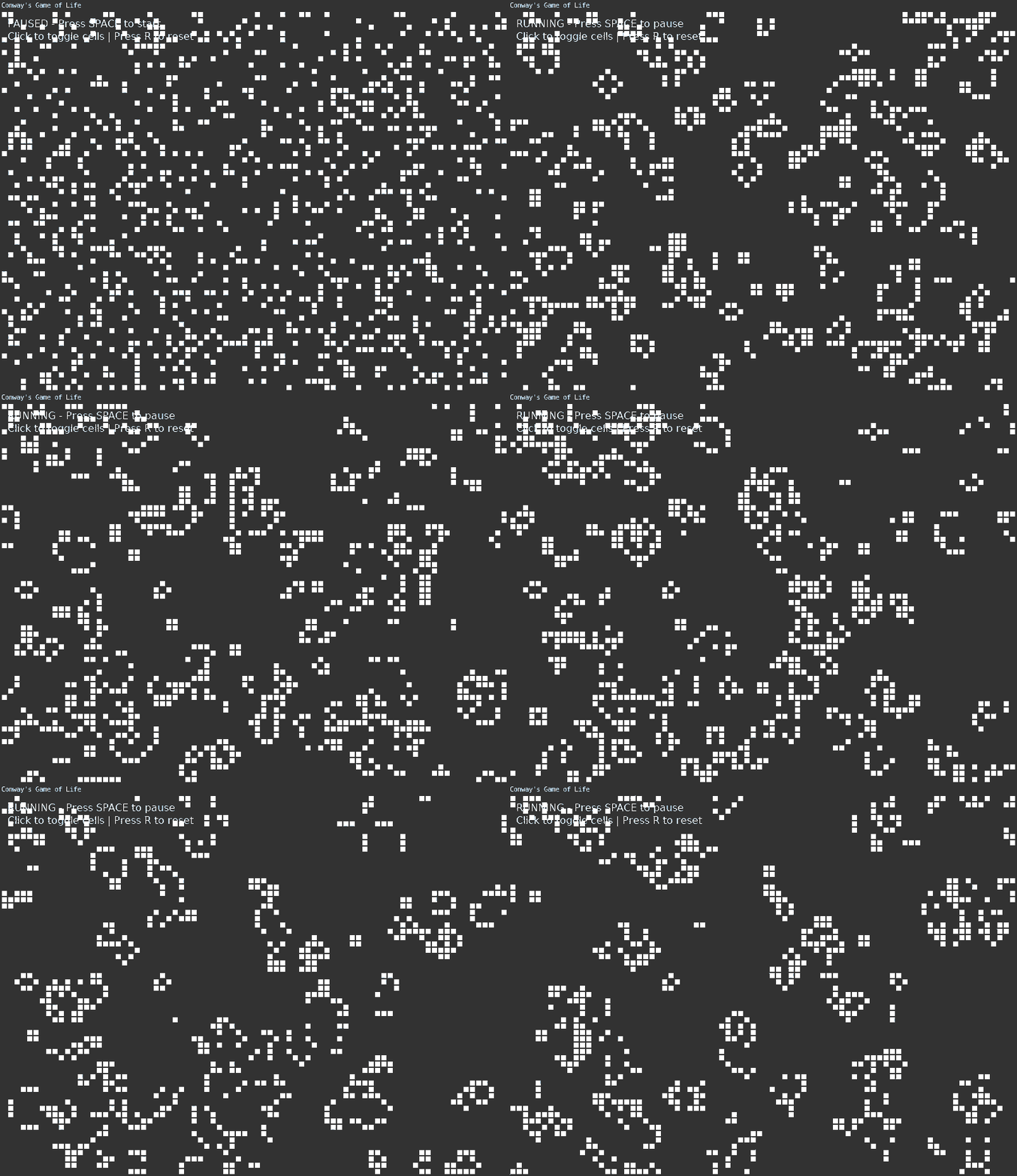
This example implements the famous Game of Life devised by British mathematician John Conway.
It is an example of a zero-player game, where after setting initial rules the simulation plays out algorithmically on its own without need for human intervention.
The original game as devised by Conway was for pen and gridded paper. Starting with any combination of cells in the grid either filled in (alive) or not (dead), the following rules were applied:
- Any live cell with 2-3 neighbors survives
- Any dead cell with exactly 3 neighbors becomes alive
- All other cells die or stay dead
There are now hundreds of implementations in many programming languages. The game of life is an example of cellular automata. Techniques are explored in a variety of applicatons including game design, studying biology, chemistry, physics, music, and computer science.
This program implements a basic version of the simulation. Press space bar to begin. You can click on individual cells to toggle their state, or draw directly on the grid. Pressing ‘r’ resets and pauses the game.
require("L5")

-- Conway's Game of Life in L5
-- Click to toggle cells, press SPACE to pause/unpause, press R to reset

local cols, rows
local cellSize = 10
local grid = {}
local nextGrid = {}
local paused = true

function setup()
    size(800, 600)
    windowTitle("Conway's Game of Life")
    frameRate(10)

    -- Calculate grid dimensions
    cols = floor(width / cellSize)
    rows = floor(height / cellSize)

    -- Initialize grids
    initGrid()

    describe("Conway's Game of Life. Click to toggle cells. Press SPACE to start/pause. Press R to reset.")
end

function initGrid()
    -- Create empty grids
    for i = 1, cols do
        grid[i] = {}
        nextGrid[i] = {}
        for j = 1, rows do
            grid[i][j] = 0
            nextGrid[i][j] = 0
        end
    end

    -- Add initial random cells
    for i = 1, cols do
        for j = 1, rows do
            if random(1) < 0.2 then
                grid[i][j] = 1
            end
        end
    end
end

function draw()
    background(20)

    -- Draw grid
    for i = 1, cols do
        for j = 1, rows do
            local x = (i - 1) * cellSize
            local y = (j - 1) * cellSize

            if grid[i][j] == 1 then
                fill(255)
            else
                fill(50)
            end

            stroke(30)
            strokeWeight(1)
            rect(x, y, cellSize, cellSize)
        end
    end

    -- Update grid if not paused
    if not paused then
        computeNextGeneration()
    end

    -- Draw status text
    fill(255)
    noStroke()
    textSize(16)
    textAlign(LEFT, TOP)
    local status = paused and "PAUSED - Press SPACE to start" or "RUNNING - Press SPACE to pause"
    text(status, 10, 10)
    text("Click to toggle cells | Press R to reset", 10, 30)
end

function keyPressed()
    -- Toggle pause with spacebar
    if key == 'space' then
        paused = not paused
    end

    -- Reset with R
    if key == 'r' then
        initGrid()
        paused = true
    end
end

function computeNextGeneration()
    -- Calculate next generation
    for i = 1, cols do
        for j = 1, rows do
            local neighbors = countNeighbors(i, j)

            -- Conway's rules:
            -- 1. Any live cell with 2-3 neighbors survives
            -- 2. Any dead cell with exactly 3 neighbors becomes alive
            -- 3. All other cells die or stay dead

            if grid[i][j] == 1 then
                -- Cell is alive
                if neighbors == 2 or neighbors == 3 then
                    nextGrid[i][j] = 1
                else
                    nextGrid[i][j] = 0
                end
            else
                -- Cell is dead
                if neighbors == 3 then
                    nextGrid[i][j] = 1
                else
                    nextGrid[i][j] = 0
                end
            end
        end
    end

    -- Copy next generation to current grid
    for i = 1, cols do
        for j = 1, rows do
            grid[i][j] = nextGrid[i][j]
        end
    end
end

function countNeighbors(x, y)
    local count = 0

    -- Check all 8 neighbors
    for i = -1, 1 do
        for j = -1, 1 do
            -- Skip the center cell
            if not (i == 0 and j == 0) then
                -- Wrap around edges (toroidal topology)
                local col = ((x - 1 + i) % cols) + 1
                local row = ((y - 1 + j) % rows) + 1

                count = count + grid[col][row]
            end
        end
    end

    return count
end

function mousePressed()
    -- Toggle cell on click
    local col = floor(mouseX / cellSize) + 1
    local row = floor(mouseY / cellSize) + 1

    if col >= 1 and col <= cols and row >= 1 and row <= rows then
        if grid[col][row] == 0 then
            grid[col][row] = 1
        else
            grid[col][row] = 0
        end
    end
end

function mouseDragged()
    -- Allow drawing by dragging
    local col = floor(mouseX / cellSize) + 1
    local row = floor(mouseY / cellSize) + 1

    if col >= 1 and col <= cols and row >= 1 and row <= rows then
        grid[col][row] = 1
    end
end
Related Examples
- 10print - An implementaton of the famous 1980s one-liner maze-drawing program
- Animation with Events - Pause and resume animation.
- Basic Pong - A simple program demonstrating a basic implementation of pong with enemy AI player
- Minimum Spanning Tree - An example of implmenting Prim’s algorithm for finding the shortest lengths to connect all randomly placed dots
- Walking lines - Visualizes randomly drawn lines bouncing around a box with their intersecting points highlighted
Ecosystem Project
- Read section 2 from The Nature of Code focusing on Air/Fluid Resistance
- Can you add mud? water? goo? that will slow down and affect your creature?
- Read section 2.9 on Attraction. This will let us make organisms that move around and follow things, run away from them (or eat them!). Can you add cheese that attracts your mouse? or pheromones that attract a critter? or honey that attracts a bear?
- See examples 2.5 and 2.6 here for starter p5.js code adapted from The Nature of Code
- optional: Watch Dan Shiffman’s tutorials on forces if you’d like a review or alternate instruction model
- Your project should consist of at least one Class. Your environment should have forces. This could be gravity, wind. Add an attraction force. Make sure to replace your primitive shapes with images at this point. You should have a metaphor or situation in mind for what you are creating, not just “these circles want to eat these other circles” but a specific system you are trying to build.